Deploy OpenClaw from Hostinger's one-click catalog and a few minutes later it is running, no command line involved. Then you look at the address you were given: http://your-server-ip:49977, unencrypted, on a port that changes with every deploy, reachable because you opened a hole in the firewall to reach it. The click solved installation. Installation was never the hard part.
What follows it is a reachable address, encryption, a way to say who is allowed in, and somebody to keep all of it working next month. Providers smooth over pieces of that, and Hostinger smooths a real one: deploy their reverse proxy from the same catalog and OpenClaw comes up on HTTPS at a subdomain they assign. But the proxy is still a proxy, the certificate email is still yours to get right, and the configuration has simply been written in advance for one hostname they chose. Point it at openclaw.yourcompany.com, or add a colleague's instance, and you are writing it yourself. None of the rest of the list moves at all.
OpenClaw sits in Hostinger's catalog alongside Buzz, Hermes Agent and n8n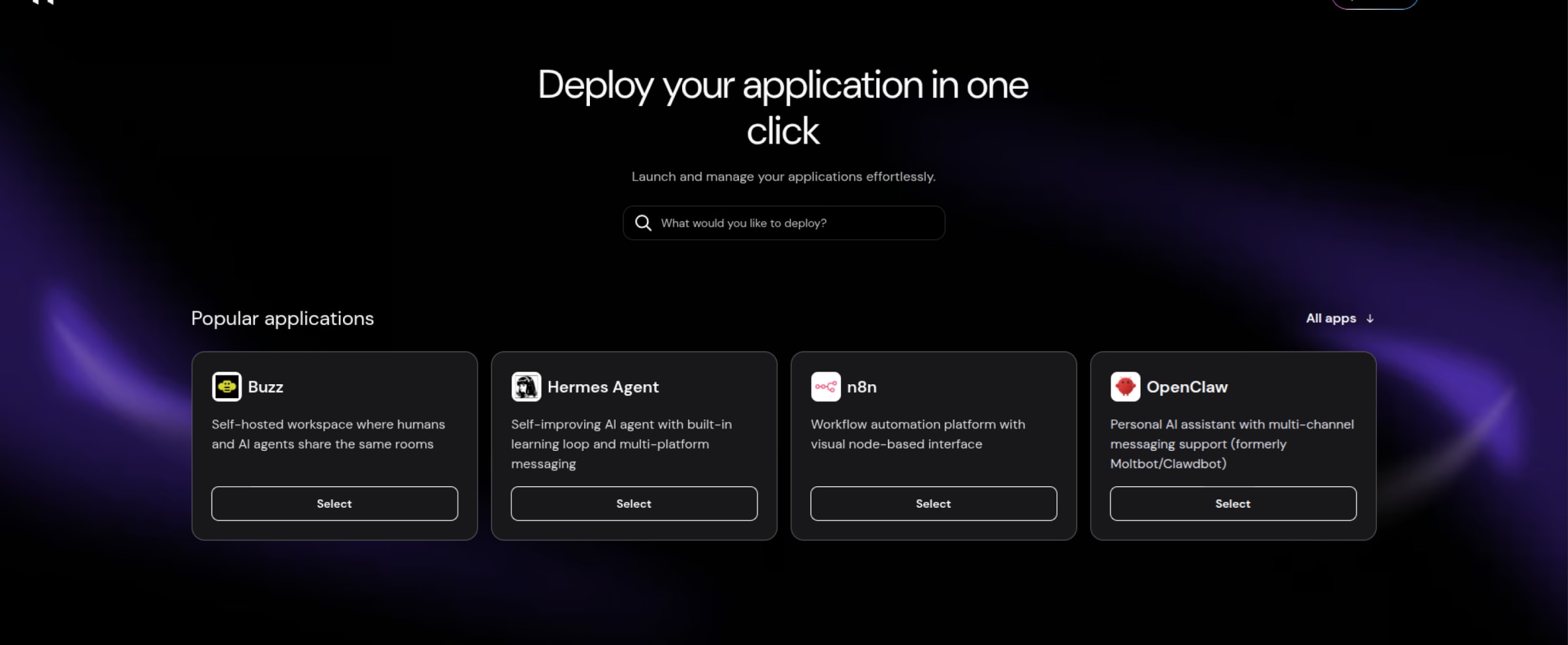
What Hostinger gets right#
The catalog is genuinely fast. Pick the template, fill in a short form, deploy, and a few minutes later OpenClaw is running. There is no Docker knowledge required to reach that point, no compose file to write, no dependency to resolve. For someone who wants to try an AI agent this weekend, that is a real and well-executed convenience.
The one-click tier also handles application updates for you, and Hostinger's own documentation is clear that the alternative tier does not: on the VPS route you press Update in the Docker Manager yourself. Weekly automatic backups are included. The gateway token that protects the agent is generated for you at deploy time rather than left blank, which matters more than it sounds and we will come back to it.
And the pricing shape is aggressive, in the way most VPS hosting is: a promotional monthly rate, billed upfront for the whole term, renewing at a higher rate afterwards. A domain is bundled free for the first year and renews at cost after that.
We are deliberately not quoting figures, because promotional pricing moves and a stale number is worse than none. Hostinger's OpenClaw VPS product page carries the current terms. (Terms as described checked 7 August 2026.)
What the one-click deploy actually gives you#
The clearest account of the default state does not come from us. It comes from Mike Murphy, who publishes Hostinger tutorials and links an affiliate offer in the same video, which makes him an unusually credible witness on the subject. Read what follows as a description of what you get before deploying Traefik, not as the last word on whether HTTPS is reachable:
"The deployment process is incomplete."
Mike Murphy, "How To Deploy OpenClaw Securely with HTTPS & SSL on a Hostinger VPS", 0:35
He is more specific a few seconds later:
"When you deploy an app like OpenClaw from the Hostinger Docker catalog, yes, it's fast, it's easy... but you do not get HTTPS out of the box. You do not get a domain to use. You have to use your VPS IP address with a port. And you have to open that port on a firewall in order to access OpenClaw, exposing the port and exposing your entire VPS to unnecessary security risks."
So the state you land in, before you deploy anything else, is an address of the form http://your-server-ip:49977, unencrypted, on a port the tutorial notes is randomly generated on each deploy.
Until you fix it, everything typed into that interface and everything it sends back crosses the public internet in the clear. Hostinger is direct about the consequence: without Traefik in front of it, OpenClaw's own control interface refuses to work properly at all, returning device identity and signature errors, because the application expects a secure context. The fix is documented and quick. It is also a step you have to know to take.
How long does it take to fix?#
The work between a raw IP address and a working HTTPS URL
The tutorial that walks through it runs 33 minutes. Do not read that as an estimate. That is an expert demonstrating a path he already knows, on a server already prepared, with the configuration written in advance.
The honest answer for someone doing it the first time is an afternoon, and several evenings if any of it is unfamiliar. The steps are:
- Have a domain, and attach it to the VPS.
- Add a DNS record pointing a subdomain at the server's IP address.
- Install a reverse proxy, if the template you chose did not include one.
- Put a valid email address in the reverse proxy's configuration, which the certificate authority requires.
- Add five routing labels to OpenClaw's own configuration file.
- Add security headers.
- Remove the published port so the application is no longer exposed directly.
- Attach the container to an internal network so the proxy can still reach it.
- Set the environment variables, with exact syntax. The tutorial warns the formatting "is very picky".
- Redeploy.
- Go back to the firewall and delete the rule from step zero.
Every one of those is documented and none is intellectually difficult. But five of them fail quietly. The DNS record, the routing labels, the published port, the internal network and the firewall rule all produce the same symptom when they go wrong, which is no symptom: a page that does not load, with nothing telling you which one was at fault. Waiting on DNS propagation while you guess is where the afternoons go.
Hostinger offers a helper for part of this. Deploy their reverse proxy from the same catalog, give it an email address, and OpenClaw comes up on HTTPS at a subdomain of their own. That writes the domain, the DNS record, the routing labels and the internal network for you, and turns installing the proxy from a task into a click.
Now look at what it leaves behind. The certificate email survives word for word, including its failure mode: their guide warns that an invalid address means the certificate simply will not issue. The security headers, the published port and the firewall rule are not mentioned in that guide at all. And the domain, the DNS record and the routing labels all return the moment you want openclaw.yourcompany.com rather than an address on their domain, or a second instance for a colleague, because the configuration was written in advance for one host and yours is a different one.
Notice which ones survive. A shortcut removes the loud steps, where a mistake means a page that will not load and you know immediately that something is wrong.
What it leaves are the quiet ones. An exposed port and an open firewall rule produce no error at all: your agent works perfectly over HTTPS and is still reachable on the raw address underneath. A helper solves the steps that annoy you. It does not solve the steps that expose you.
One thing genuinely does get easier. Once a reverse proxy is configured, certificate renewal is automatic from then on. The burden is setup, not perpetual maintenance, which is precisely why setup is the part that gets automated first, and why the next section is the one that matters.
What no click closes#
On the Managed OpenClaw tier, Hostinger states it handles the infrastructure and application updates for you. On the VPS tier, its documentation puts the boundary plainly: logs, restarts and updates run from the Docker Manager in hPanel, and updating means pressing Update to pull a newer image. That is a button rather than a terminal, which is a real improvement. It is still a button somebody has to decide to press.
Which leaves a standing list that no click closes:
- Knowing a release exists. Nothing tells you a new OpenClaw version shipped, so checking is a habit you have to keep. "How old is your version" is the question that turns a patched instance into an exposed one.
- Noticing when something breaks. Logs are available in the Docker Manager. Available is not the same as watched.
- Patching the server underneath. The container is one layer. The VPS running it is yours.
A provider can automate any one line on that list, and Hostinger has automated several. What none of them can do is take the list away, because the thing underneath is a server you rent, and a server has no opinion about who should be watching it. That is a limit of the pattern, not of the vendor.
Why this gap matters more for OpenClaw than for most apps#
A model provider key, a messaging account, the conversation history and the ability to act. One compromised instance exposes all four at once.
If this were a personal wiki, an unencrypted port would be untidy. OpenClaw is a different proposition, because of what it holds.
An OpenClaw agent connects to messaging accounts you already use and to a model provider on your account. That means it holds, at minimum, a credential to your chat platform and an API key that bills to you. It reads your messages. It can act on them.
That concentration of access has already produced consequences at scale. Researchers at Illumio found thousands of misconfigured installations leaking passwords, API keys and private data. An independent scan cataloged tens of thousands of internet-exposed instances, the overwhelming majority of them in a state where authentication could be bypassed. Barracuda's write-up describes the same pattern: instances bound to every network interface rather than kept private.
There have also been real vulnerabilities in the software, disclosed responsibly and patched. Cyera published four in May 2026, the most severe rated 9.6, allowing an attacker to escape the sandbox and establish persistent control. An earlier flaw allowed a malicious website to hijack a locally running agent with no user action at all, affecting gateways exposed to the internet on versions before 2026.1.29.
This is not an argument against running OpenClaw. We run it for customers, and we think it is a good piece of software. It is an argument about deployment. Read the incident reports and a pattern is obvious: almost none of them describe a clever exploit against a well-configured instance. They describe instances that were reachable from the internet when they should not have been, running a version that was months old, with credentials sitting in a configuration file in plain text.
Those are all deployment properties. They are decided by whoever set the thing up, which under a one-click VPS deploy is you.
Barracuda's own mitigation list is worth reading with that in mind:
- Run agents only in isolated environments.
- Never expose them directly to the internet.
- Use narrowly scoped, short-lived credentials.
- Keep systems fully patched.
- Maintain logging.
That is not a list of things a hobbyist does on a Sunday. It is a description of a managed platform.
The checklist, whoever hosts it#
If you are running OpenClaw anywhere, on any provider, these are the questions that decide whether you are one of the exposed instances in those scans:
- Is the agent reachable from the public internet at all? If yes, it should be behind a proxy that terminates encryption, never published directly on a port.
- Is there a token on it, and did you set it? A blank or default credential on a public endpoint is how most of those scans found their targets.
- Is the connection encrypted? An unencrypted login is a credential handed to anyone on the path.
- How old is your version? Check it against the most recent release, not against when you deployed.
- Where do the credentials live? If your model provider key and your chat token sit in a plain text file on the server, anyone who reads that file owns both.
- Who can reach the machine? Any firewall rule you opened to get started should be gone once a proper address works.
- What have you installed from the skill marketplace? Attackers have distributed hundreds of malicious skills through it under plausible names. Treat each one as code you are running on your own account.
- Would you know if it were compromised? If nothing logs the agent's activity, the answer is no.
If you can answer all eight confidently on a self-managed VPS, that setup is fine and you do not need us. Most people cannot answer question 4 or question 8.
What if everyone on your team wants their own instance?#
A token is something you hold. Membership is something that can be revoked.
Everything above assumes one person setting up one instance for themselves. Most organizations evaluating OpenClaw are not doing that. They are asking whether their team can use it: a dozen people, each with an assistant configured for their own work, connected to their own accounts.
That is a different question, and a single server answers none of it. Three things break at once.
Provisioning does not get cheaper. Deploying is quick, and Traefik makes the address and certificate quick too, so the first instance is genuinely cheap.
The recurring cost is everything attached to it: the second person needs their own instance configured, their own credentials issued, and their own place in the patching and update schedule. So does the third. It does not get faster with practice, and it repeats on every hire.
Then there is the part organizations underestimate, which is that a server has no idea who your employees are. An instance is protected by a token, and a token is not an identity: whoever holds the string gets in, and holding it is the only thing being checked. There is no way to express "this one is Alice's and Ben should not be able to open it" beyond being careful about who you send it to.
Nothing is tied to your company directory either, so there is no sign-in your staff already have and no permission to grant or withdraw. When someone leaves, access does not end when their employment does. It ends when somebody rotates every token they ever received, on every instance, by hand.
And the company itself owns none of it. There is no record of who has an instance, no way for an employee to get one without someone with server access building it for them, and nothing connecting any of it to the organization rather than to whoever happened to set it up. Onboarding is a ticket. Offboarding is somebody remembering a machine exists.
None of that is a Hostinger shortcoming. A virtual private server is a machine, and a machine has no opinion about your org chart. But it does mean that "can our team use OpenClaw" turns into a provisioning and access-control project rather than a decision, and that project is what usually stalls the adoption.
Worth asking of any option, including ours: what has to happen when the second person wants one, and the twentieth, and when one of them leaves?
Who a Hostinger VPS suits#
It fits you if you want root on the machine, you are comfortable with a reverse proxy and DNS, you want to run several unrelated things on one server, or you are experimenting and price is the dominant factor. Those are all legitimate, and on those terms it is a good deal.
It fits you less well if nobody on your side wants to own patching and updates, if the agent will handle anything you would mind leaking, or if more than one or two people will each want their own instance. The mismatch is not the product. It is that a tier explicitly sold as giving you "more control over the server" is marketed to people who did not want control of a server in the first place.
How VCloud handles the same thing#
The unit here is the organization, not the server. That is the whole difference, and everything below follows from it.
Installing starts with the member, not with an administrator. Alice picks OpenClaw from the catalog and installs it herself, and it comes up working at an encrypted address, in the form https://openclaw.alice.your-org.varisymo.com. Nothing is published to the internet, so there is no port to expose and no firewall rule to remember to close. She does not file a ticket and wait for someone with server access.
Reaching that instance means signing in to your organization first, through the same sign-on your people already use for the rest of the platform. Membership is the thing being checked, not possession of a string, and the account owner and administrators decide who is a member and what they can reach. Alice's instance is Alice's. Ben cannot open it by having been sent something once, and when Alice leaves, removing her from the organization ends her access everywhere at the same moment rather than starting a search for every token she was ever given.
Connecting the app itself follows from that. You take a connection token from the console and apply it, and OpenClaw generates a request identifier you confirm back in the console. The token is never blank, never one you invent, and never typed into an interface sitting open on the internet. Operations that would otherwise need a terminal, like generating that identifier or restarting the app, are buttons in its menu.
Growth costs nothing extra. The twentieth person is the same as the second: they install it themselves. The organization keeps one view of who has what, one bill, and one place to add or remove people. Each instance is separate, so every person's assistant connects to their own accounts and is configured for their own work.
Underneath, credentials are encrypted at rest and held in a key service our own staff cannot read. When a new OpenClaw release appears we assess it and make it available, so "how old is your version" is a question we answer rather than one you track.
What we do not touch is the application. The instance is stock OpenClaw: we do not modify it, restrict its features, or sit between the agent and what it does, so anything the upstream project supports is available to your team. What we run is everything around it, which is the address, the encryption, who can reach what, the updates, and the organization it all belongs to.
Two things we do not do:
- We do not restrict what you install from the skill marketplace. We govern the platform, not your choices inside the app. Question 7 on that checklist is yours wherever you host.
- You cannot bring your own domain yet. Your address lives on ours. That is in active development but not shipped, and if a branded URL is a requirement today then a VPS or another provider serves you better.
If the eight questions above are ones you would rather not own, managed OpenClaw hosting is what we do about them, and the plans show what each tier includes. If they are questions you enjoy, a VPS is a fine answer and we would not try to talk you out of it.
Sources#
- Mike Murphy, "How To Deploy OpenClaw Securely with HTTPS & SSL on a Hostinger VPS", YouTube. Quoted at 0:35, 0:38, 16:56 and 27:44. Describes the state before Hostinger's Traefik deployment was available.
- Hostinger, "How to add SSL to OpenClaw on Hostinger", checked 14 August 2026. Source for the Traefik path, the assigned subdomain, and the device identity errors over plain HTTP.
- Hostinger OpenClaw VPS hosting product page,
hostinger.com/vps/docker/openclaw, checked 14 August 2026. Named rather than linked: it is a commercial page we compete with directly. - OpenClaw installation documentation for Hostinger, checked 14 August 2026. Source for the Managed and VPS tiers, and for logs, restarts and updates running from the Docker Manager.
- Blink, "OpenClaw Security in 2026: Risks, CVEs, and How to Stay Safe".
- Barracuda, "OpenClaw security risks: what security teams need to know about agentic AI", 9 April 2026.
- eSecurity Planet, "OpenClaw Vulnerabilities Could Enable Full AI Agent Takeover", on the Cyera disclosures of 18 May 2026.