Signing in to VCloud starts a session that keeps you signed in across the dashboard and the apps installed under your organization, without needing to sign in again to each one separately.
Session lifetime#
A session stays valid while you're actively using VCloud and refreshes quietly in the background. Left completely idle, both your sign-in and the dashboard's ability to act on your behalf eventually expire and you'll be asked to sign in again - this is a deliberate ceiling, not a bug, so a browser left open indefinitely doesn't stay signed in forever.
Multi-factor authentication#
Because sign-in goes through your identity provider rather than a password VCloud manages, multi-factor authentication is enforced by that provider's own settings - turning on 2-step verification on your Google or GitLab account, or on whatever identity provider your organization has connected, is what protects your VCloud sign-in. VCloud doesn't layer a separate MFA prompt on top of it.
What you control from Settings#
Settings groups your account preferences into several sections - Appearance, Localization, Notifications, Accessibility, Identity Provider, and Privacy & Security:
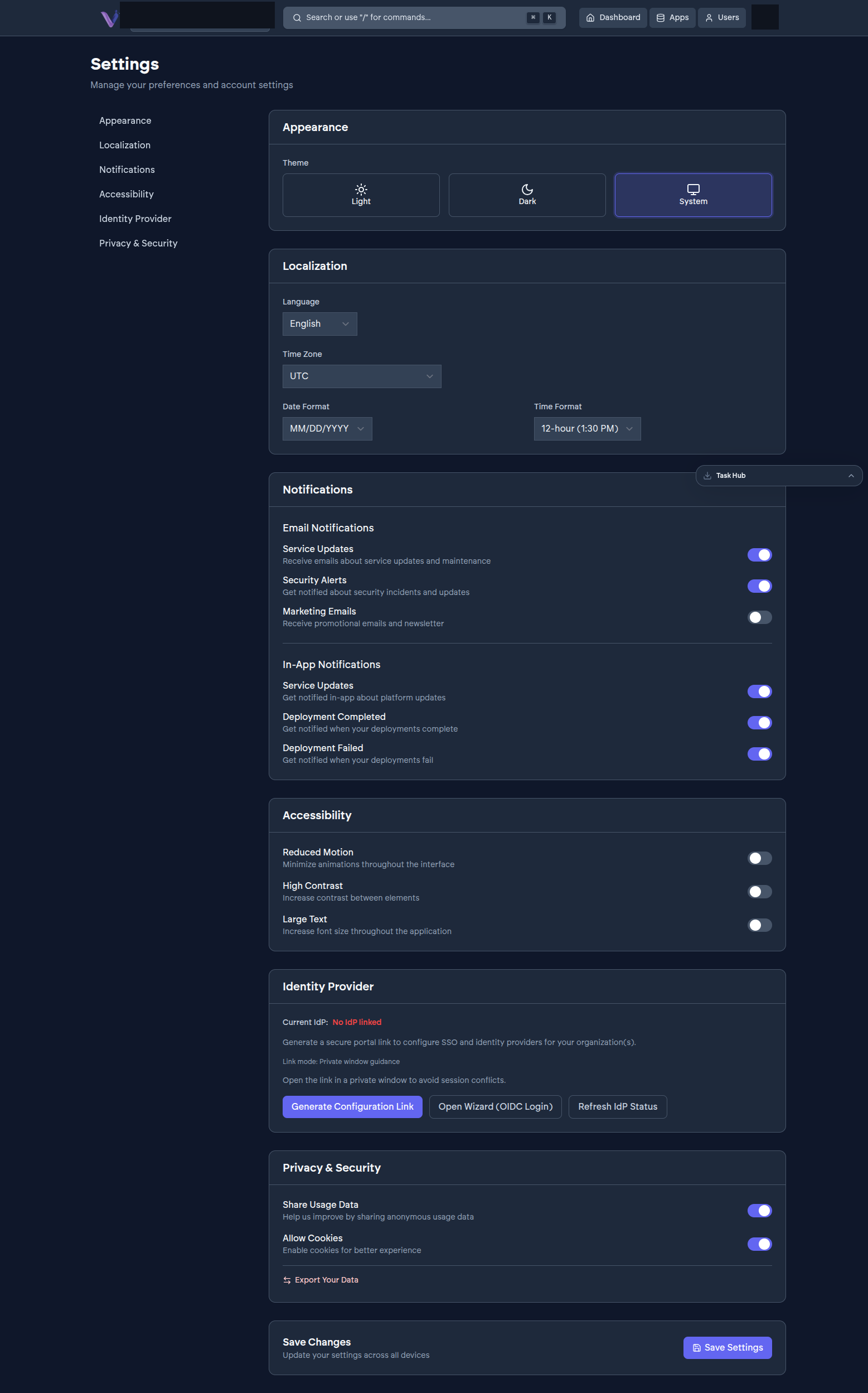
Privacy & Security specifically covers:
- Share Usage Data - whether anonymous usage data is shared to help improve the product.
- Allow Cookies - whether cookies are enabled for a better experience.