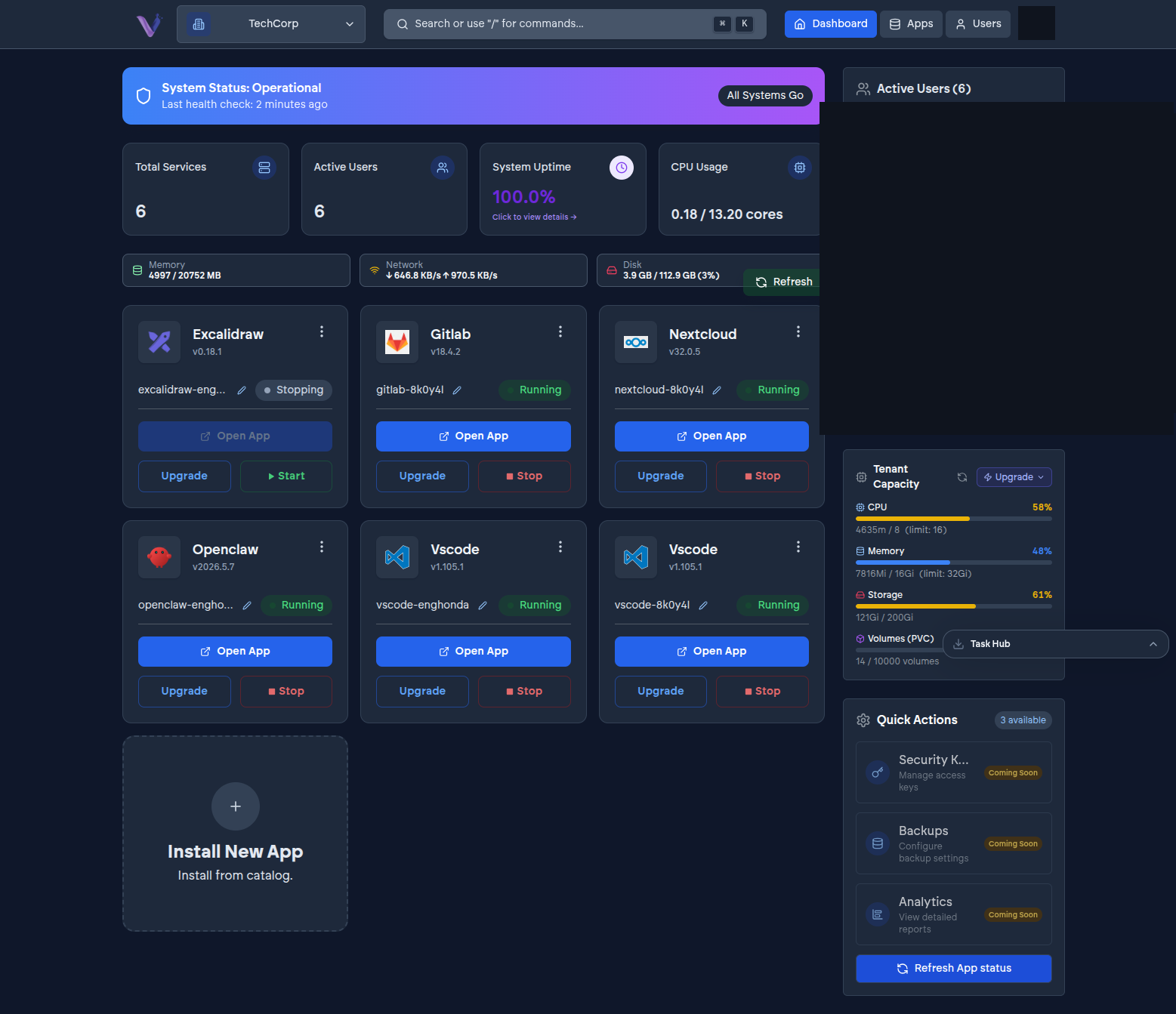
Installing an application from the App Store creates an instance - a specific, running copy of that app, isolated from every other organization's instances and from every other instance in your own organization. You can give an instance a friendly label distinct from its underlying release name, which is what shows up throughout the dashboard once it's running.
Install scope: organization or personal#
When you install an app, you choose who it belongs to:
- Organization-scoped (the default) - one shared instance every member with access can use. This is the right choice for something like a team chat or a shared file store.
- Personal - an instance that belongs to a single member. This is most relevant for tools like VS Code Server, where each developer typically wants their own environment rather than a shared one.
Because scope is a property of the instance, not the app, the same application can have both shapes running side by side in one organization - a shared GitLab instance the whole team uses, and a personal VS Code Server instance per developer, for example.
Isolation#
Every organization's instances are walled off from every other organization's - nothing your organization installs is reachable from, or visible to, any other tenant on VCloud. That isolation is what makes it safe for two organizations to install the exact same application, with the exact same name, without any risk of the two interfering with each other.