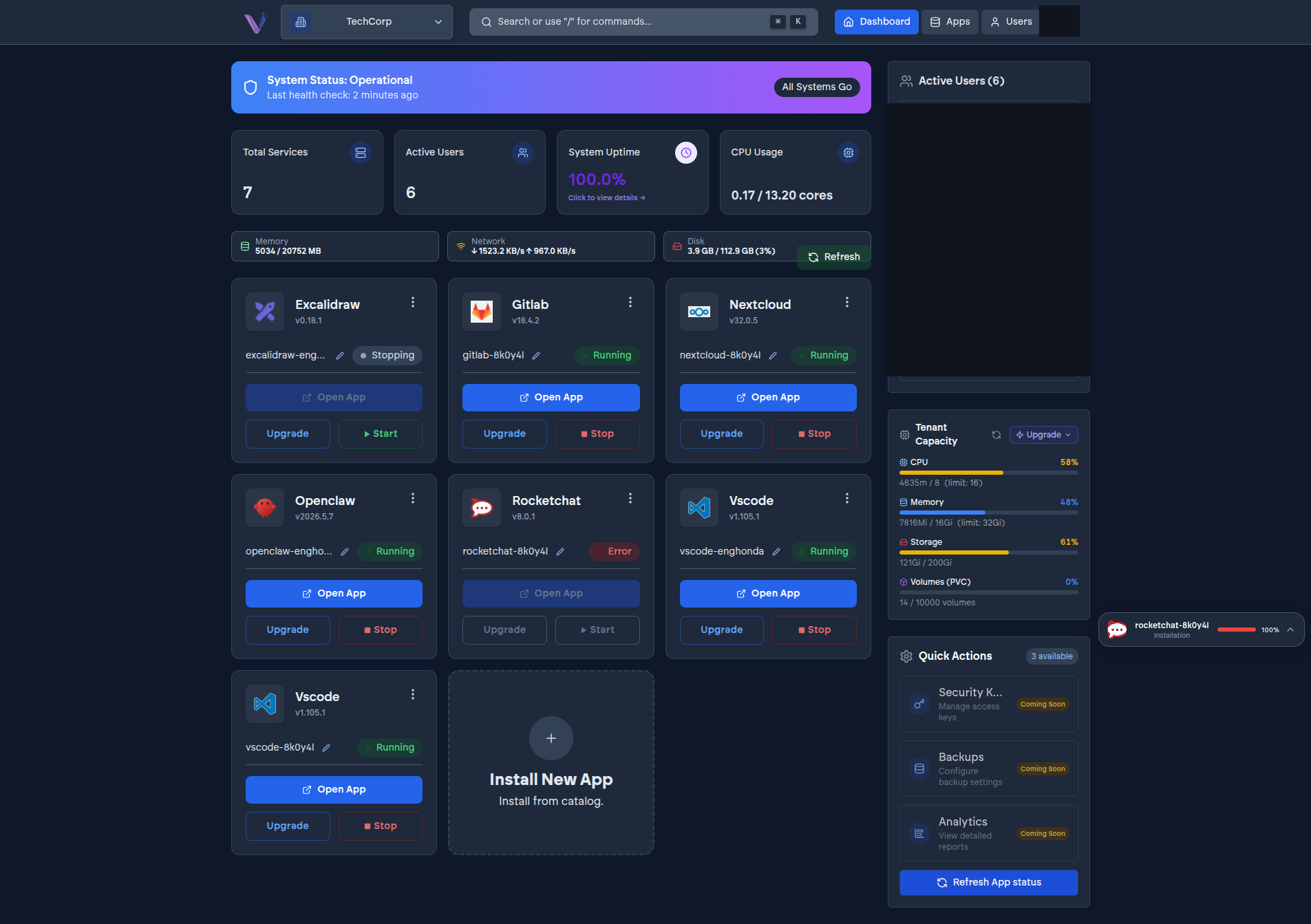
Once installed, an app instance is always in one identifiable state, and you move it between states through a small set of actions rather than through anything resembling server administration.
States you'll see#
- Installing - a deployment is bringing the instance up for the first time.
- Running - the instance is up and reachable.
- Stopped - the instance exists but isn't running. Stopping an instance doesn't uninstall it or discard its data; it can be started again.
- Upgrading - a version upgrade is in progress.
- Restarting - the instance is being restarted, typically to recover from an issue or apply a configuration change.
- Degraded - the instance is running but something about it needs attention.
- Error - the instance failed to reach the state a deployment was trying to put it in.
Actions#
From an instance's page in the dashboard, you can Start, Stop, Open (jump straight to the app), Upgrade, and Uninstall it. Some applications also expose their own extra actions beyond this common set - see App-specific features for what a particular app offers.
Uninstalling is permanent#
Uninstalling an instance is destructive: it permanently removes the application and everything stored in it. There's no undo. If you might want the data later, export what you need from inside the app before uninstalling.