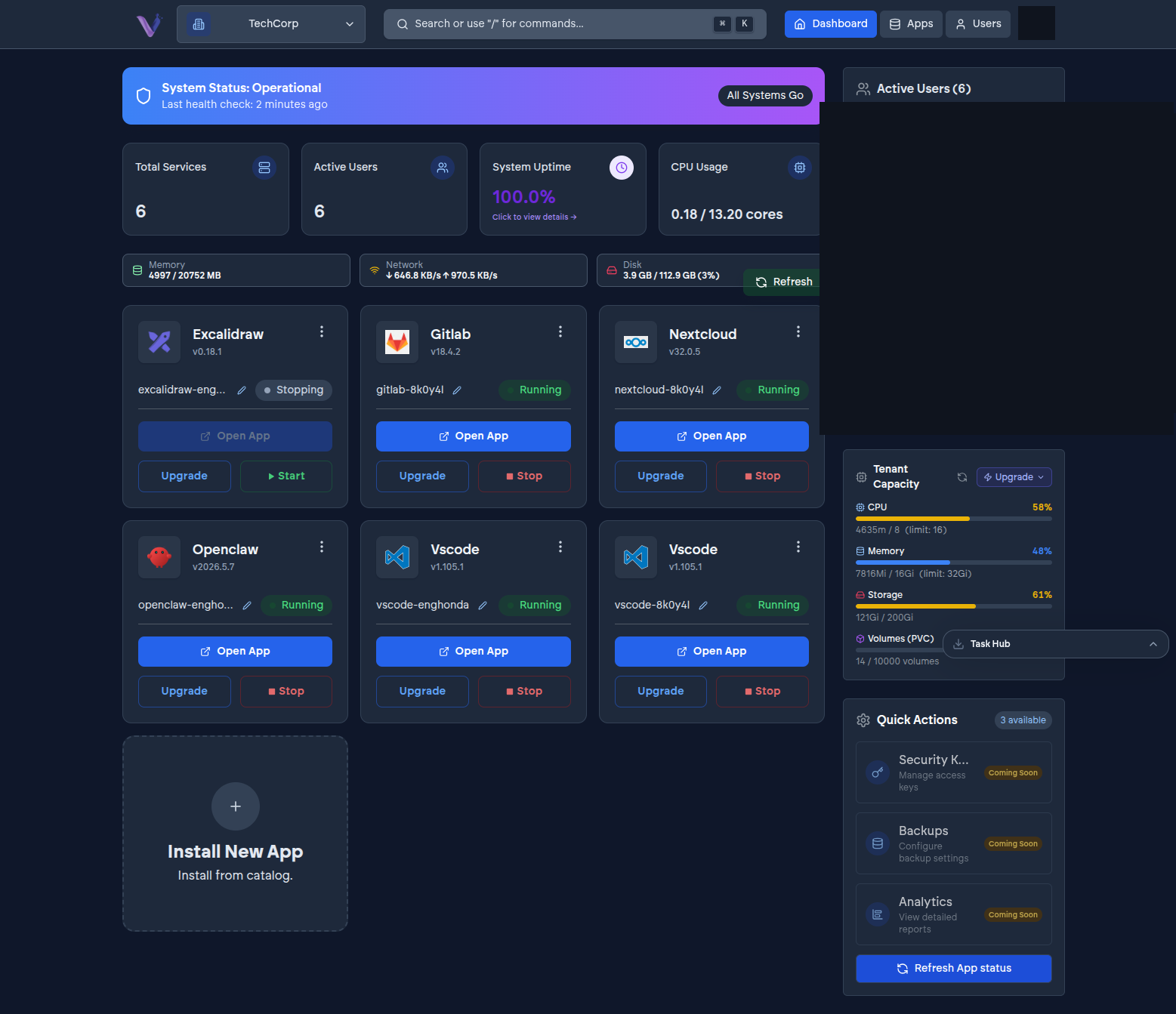
Your organization's plan grants it a fixed allowance of compute - a quota - shared across every app instance you've installed. The dashboard shows both the allowance and how much of it is currently in use.
What's measured#
For your organization overall, and per app instance, VCloud tracks:
- Compute - processor and memory allocated versus in use.
- Network - inbound and outbound traffic.
- Storage - disk space used versus your plan's allowance.
This is what the quota card and per-instance usage views in the dashboard are showing you - see Monitoring usage for where to find them.
Why it matters before you install#
The number of app instances you can run at once is capped by your plan, and the compute they need is drawn from the same shared allowance. Before installing something resource-heavy, it's worth checking your current usage against your quota rather than finding out mid-install that there isn't headroom left. If an application recommends a specific plan tier because of its own resource needs, that recommendation is called out on its page in the App Store and in its guide.