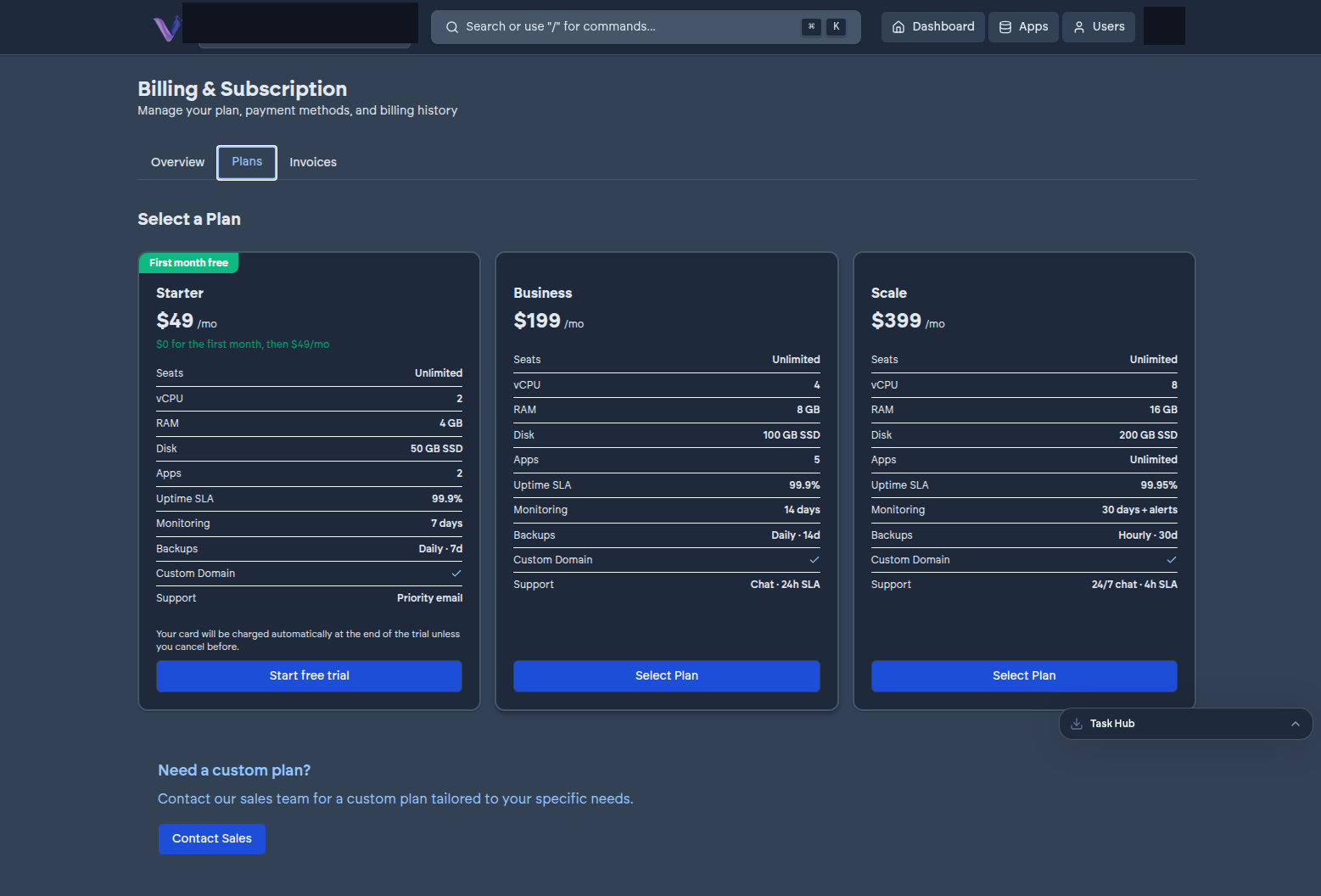
Every organization subscribes to one of three plans: Starter, Business, or Scale. A plan sets how much compute your organization has, how many app instances you can run at once, your uptime commitment, and your support level. Current pricing and exact specifications are kept on the pricing page rather than repeated here, since they're the kind of detail that changes over time - what's stable, and worth understanding up front, is the shape of the three tiers.
What scales with the plan#
- Compute, memory, and storage - each tier grants more than the one below it. Some applications - GitLab is the clearest example - genuinely need a higher tier to run acceptably; where that's the case, it's called out on the app's page in the App Store.
- App instance count - Starter allows a small, fixed number of installed instances, Business a larger one, and Scale removes the cap entirely.
- Uptime commitment - Scale carries a higher published uptime commitment than Starter and Business.
- Support - response time and channel improve at higher tiers, up to 24/7 support with a committed response time on Scale.
What doesn't scale with the plan#
- User seats - every plan includes unlimited members. Inviting more people never changes your bill.
- Per-app cost - every application in the App Store is included in your plan at no separate charge. You pay for the compute your organization uses, not for each thing you install on it.
Changing plans#
You can move to a higher or lower tier as your organization's needs change - see Billing for how. Moving to a lower tier that doesn't have enough headroom for what you've already installed isn't possible until you free up capacity first, since your app instance count and resource usage are capped by whichever plan you're on.