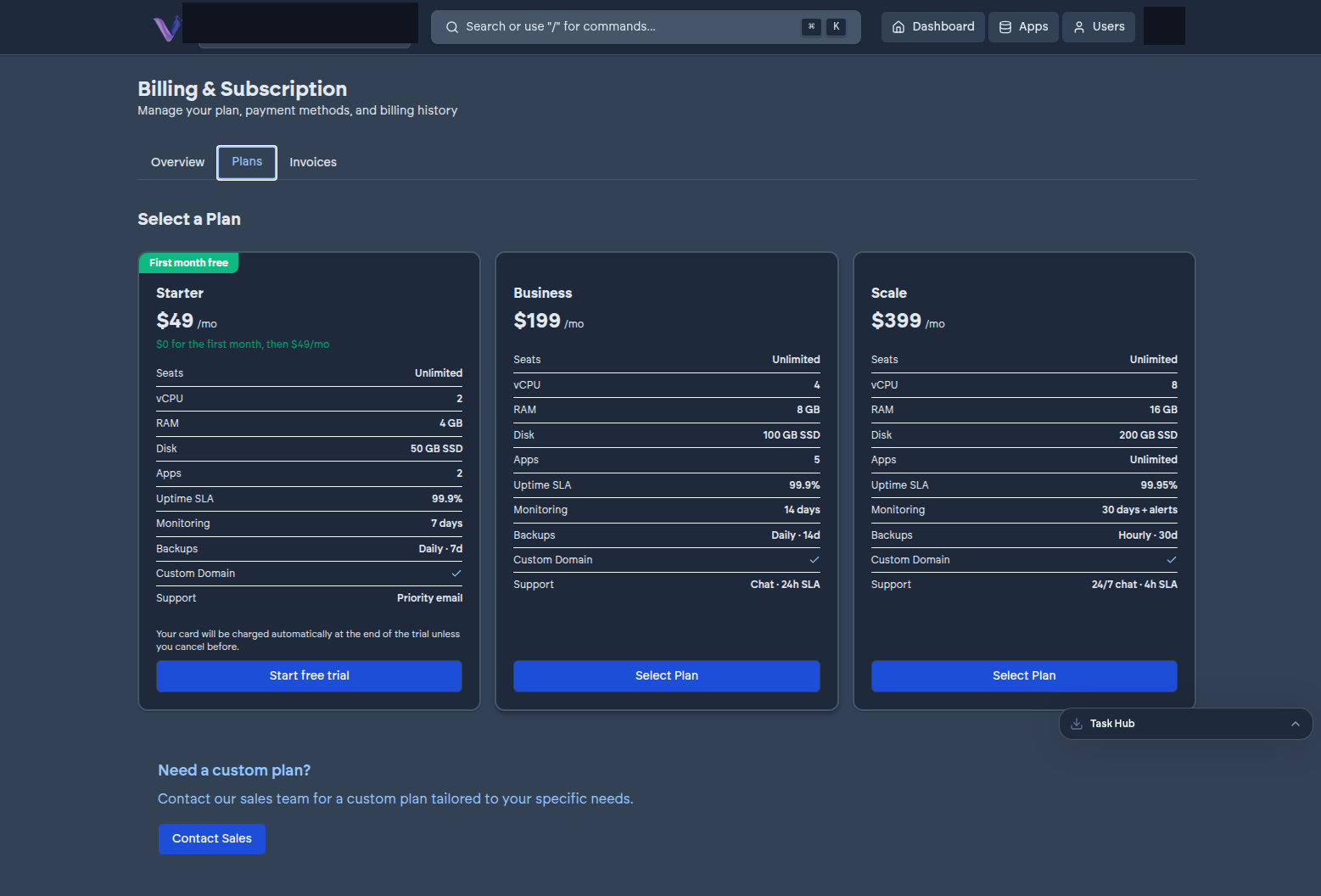
1. Open Billing#
From the dashboard, go to Billing - visible to the Owner only.
2. Add a payment method#
If you haven't already, add a card through the billing portal linked from this page. Payment details are handled by a secure, hosted checkout rather than being entered directly into VCloud.
3. Pick the right plan#
Compare Starter, Business, and Scale against what you're actually planning to run - see Plans. If you already know you're installing something resource-intensive like GitLab, check that app's guide for its recommended tier before you commit to the smallest plan.
4. Confirm#
Once a payment method is on file and you've selected a plan, your organization's entitlement reflects it immediately - there's no separate activation step.
Changing plans later#
Come back to Billing any time to move up or down a tier. Moving up takes effect right away. Moving down only goes through if what you've already installed fits inside the lower tier's app-count and resource limits - free up capacity first if it doesn't.