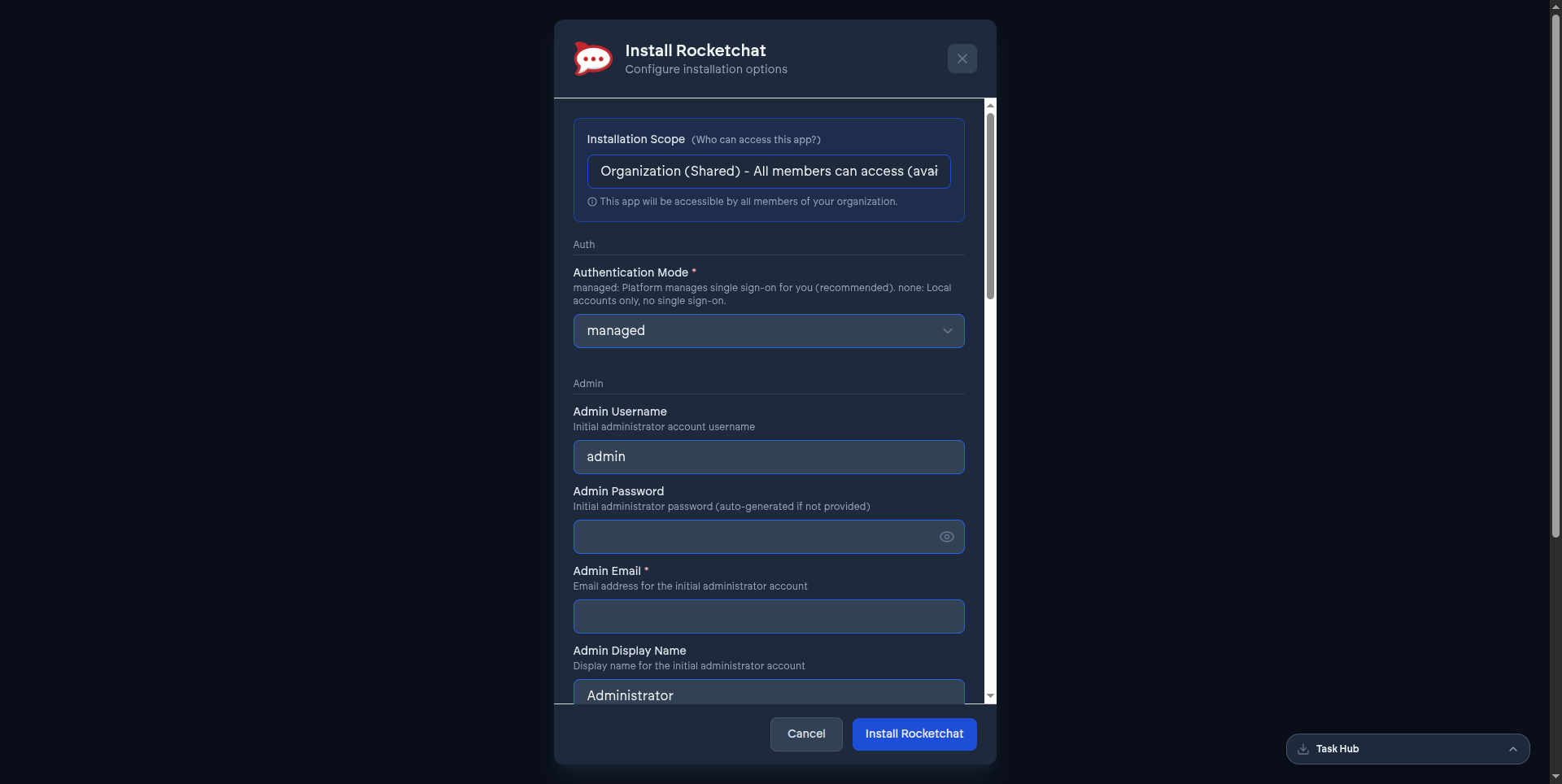
Every app's install form is different in the details, but they're all built from the same handful of parameter groups. Once you recognize these, a new app's install screen stops being unfamiliar - you're answering the same handful of questions with different specifics each time. Each app's own guide under Installing apps covers what's genuinely unique to it; this page covers what's shared.
Authentication mode#
Most apps ask how sign-in should work, with options that vary by what the upstream application actually supports:
- managed - VCloud wires up single sign-on automatically, the default and recommended choice for any app that supports it. See Single sign-on, everywhere.
- custom - bring your own OIDC client (client ID, client secret, issuer URL) instead of the platform-managed one. Useful if you need the app tied to an identity setup VCloud doesn't manage.
- none - local accounts only, no single sign-on. Where this is the only option (n8n, Nextcloud), it's not a choice you're making - it's a limitation of that app's community edition, not something VCloud restricts.
Fields under a custom provider (client ID, client secret, issuer URL, and similar) only appear once you select that mode - you won't see them cluttering the form otherwise.
Compute and storage sizing#
Apps with meaningful resource needs expose sliders for CPU, memory, and storage, labeled as guaranteed capacity - what the instance is reserved rather than merely allowed to use. Storage is separate from compute: a chat app's message-upload storage and a wiki's file-attachment storage are sized independently from the processing power running the app. Where an app has more than one internal component (Rocket.Chat's scaling mode is the clearest example - presence, real-time streaming, accounts, and a message bus each get their own allocation), each is sized separately for exactly that reason: a busy real-time messaging path shouldn't be starved by a database-heavy moment elsewhere in the same app.
Sizing draws from your organization's shared quota - see that page for how allocation across instances works.
Admin account#
Apps with their own user model (GitLab, Rocket.Chat, Nextcloud) ask for an initial administrator - sometimes just an email address to grant admin rights to on first SSO login, sometimes a full local username and password generated for you if you leave the password field blank. Apps without a user model of their own (VS Code Server, OpenClaw) skip this entirely.
Fields you can see but not change#
Some fields appear on the form already filled in and disabled rather than left off entirely - image versions, networking and access settings, and a handful of platform-managed toggles. Each one carries a short note explaining why it's fixed (typically security or consistency across every install), the same way Rocket.Chat's video conferencing toggle or VS Code Server's version field does. This is deliberate - it's telling you what the platform is handling, not something to work around.
What's genuinely app-specific#
Beyond these shared groups, some options only make sense for one app: OpenClaw's AI model and messaging-channel setup, VS Code Server's Homebrew packages and tunnel ports, Outline's long list of identity-provider options for custom auth mode. Each app's own installing guide covers those in the Configuration options section.