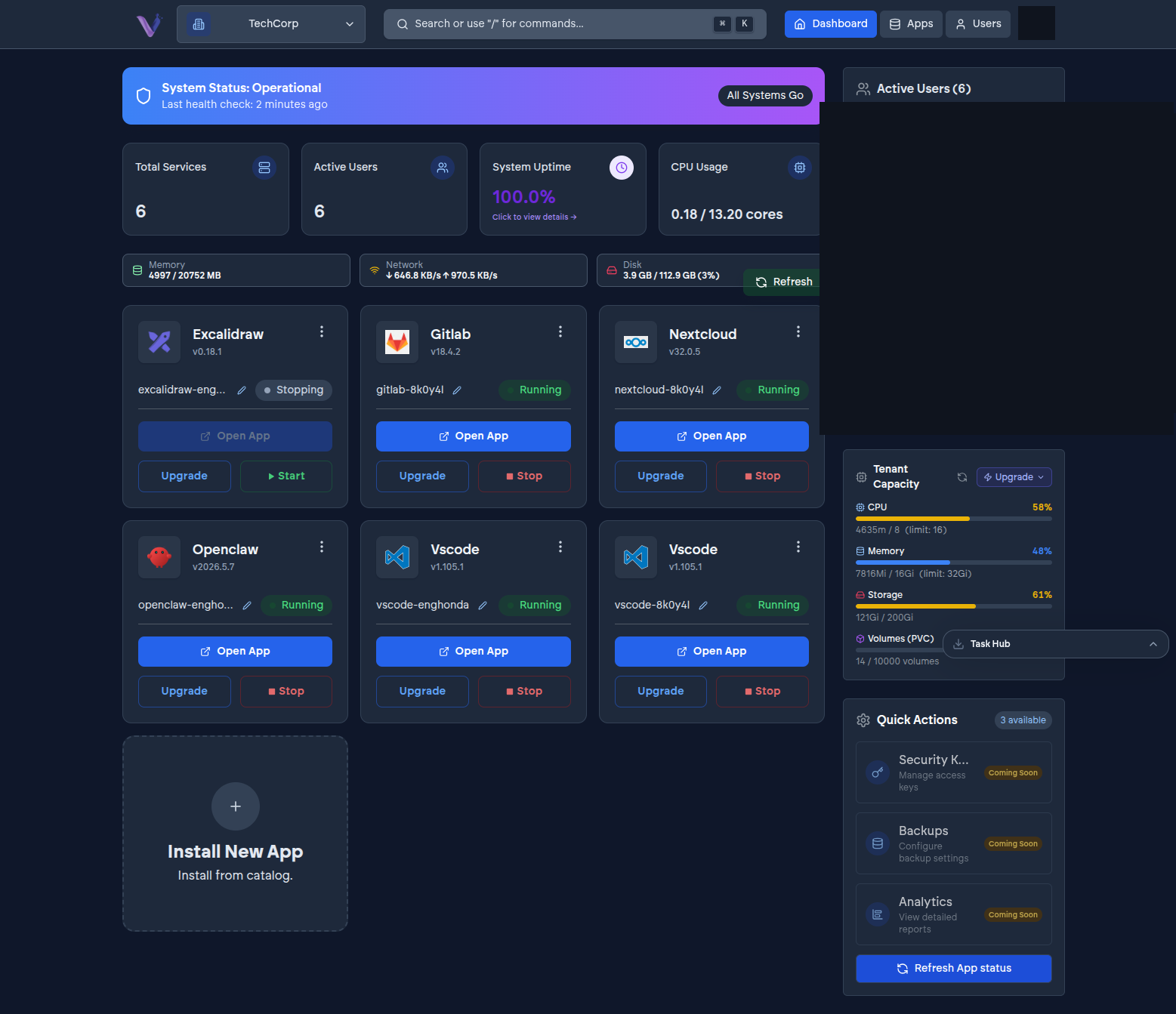
Once an app is installed, its instance page in the dashboard is where you operate it day to day.
The common actions#
- Open - jump straight into the running app.
- Start / Stop - bring the instance up or take it down without uninstalling it. Data isn't affected either way.
- Restart - useful if an instance is in a degraded state and simply needs to be cycled.
- Upgrade - move to a newer version of the app. Like install, this runs as a background deployment you can watch progress on.
- Uninstall - permanently remove the instance and its data. There's no undo - see the warning in App lifecycle and states before you use this.
Some apps expose additional, app-specific actions beyond this common set - check that app's page in Features for what's available.
Only one operation at a time#
You can't start a second action on an instance while one is already running - if you try, the dashboard tells you an operation is already in progress. Wait for the current one to finish before starting another.
Renaming an instance#
Instances get a system-assigned release name, but you can set a friendlier label from the instance page - this is what you'll actually see day to day, and it's worth setting as soon as you install, especially once you have more than one instance of the same app.