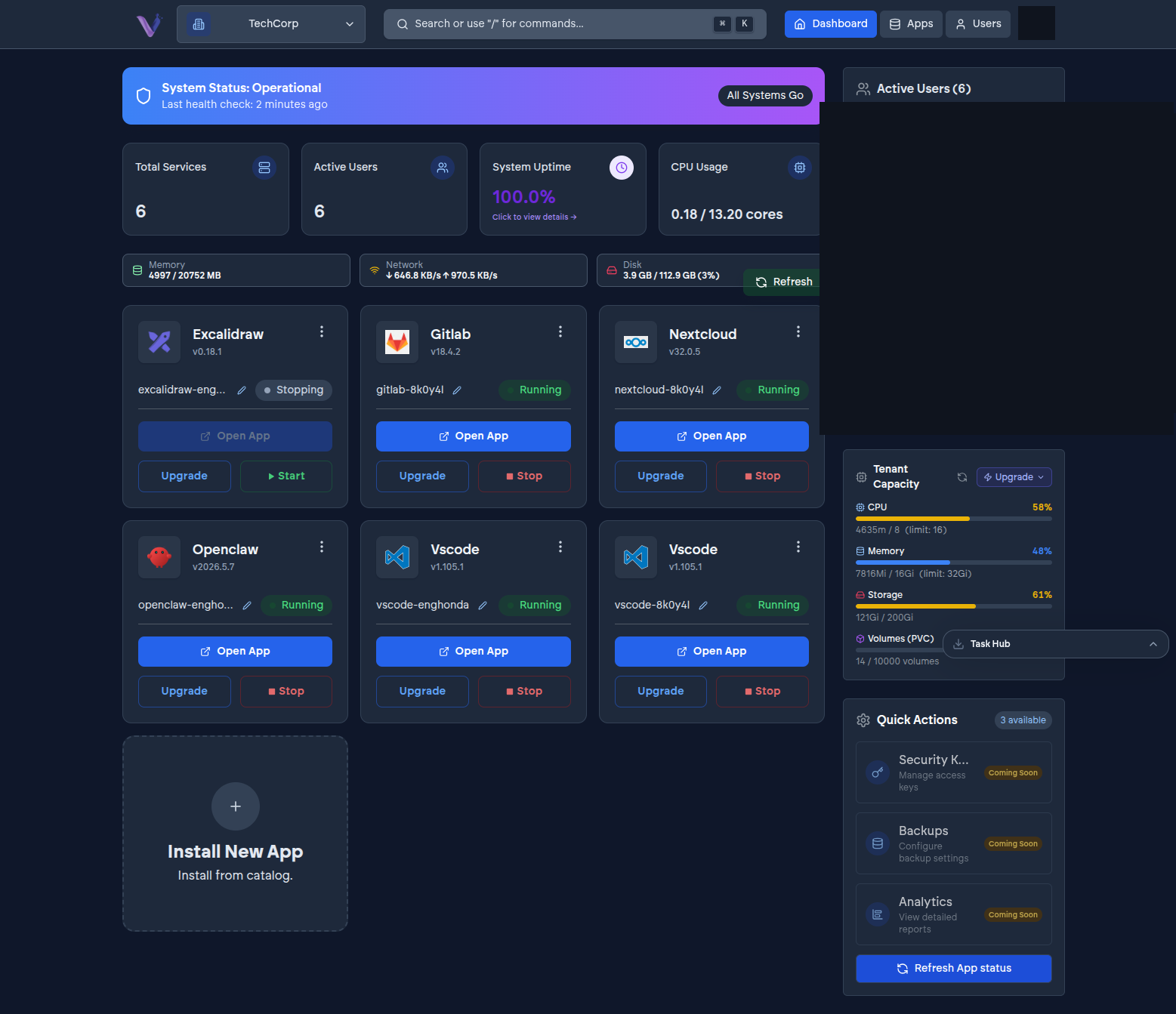
An organization is the tenant boundary in VCloud. It owns everything else: the apps installed under it, the members who can sign in to it, the plan it subscribes to, and the invoice it receives. Almost every other concept in these docs - members, app instances, quotas, billing - is scoped to exactly one organization.
Created for you, automatically#
You don't fill out a form to create your first organization. The first time you sign in, if you don't already belong to one, VCloud creates an organization for you as part of that first login. There is no separate "new organization" setup step to complete before you can start installing apps.
You can belong to more than one organization at once - your user identity is independent of any single organization, so the same account can hold a different role in each one it belongs to. See Switching organizations.
What lives on an organization#
- A name, and optionally a custom domain used for your installed apps.
- Its chosen identity provider - which external account members sign in with.
- Its members and their roles.
- Its plan and billing status.
- Every app instance installed under it, each isolated from every other organization's instances - nothing another organization installs is visible to, or reachable from, yours.
Ownership and re-syncing sign-in#
Every organization has an identity provider configuration attached to it - which account members use to sign in, and how that connects to VCloud's identity backend. If that configuration is ever changed on the identity-provider side, VCloud keeps its own record of it synchronized automatically rather than requiring you to update it in two places.